Bring clarity to revisions and scope.
Two ready-to-use tools for preconstruction teams: one shows what changed between document versions, the other checks drawings against specifications. No code to write. Both are built on the same drawing intelligence as the AnchorGrid API.
Demo availablePriced per analysis
Use the tools as they are, or build your own.
Same document intelligence, two ways to use it.
Review documents in a ready-made interface.
Estimators, project managers and preconstruction teams work in the tools directly. Results are organized for review, with each finding linked to its source.
Build the data into your own software.
Developers call the API from their applications and AI workflows, and get structured data from drawings and specifications back as JSON.
Explore the AnchorGrid APIRevision Impact Analysis
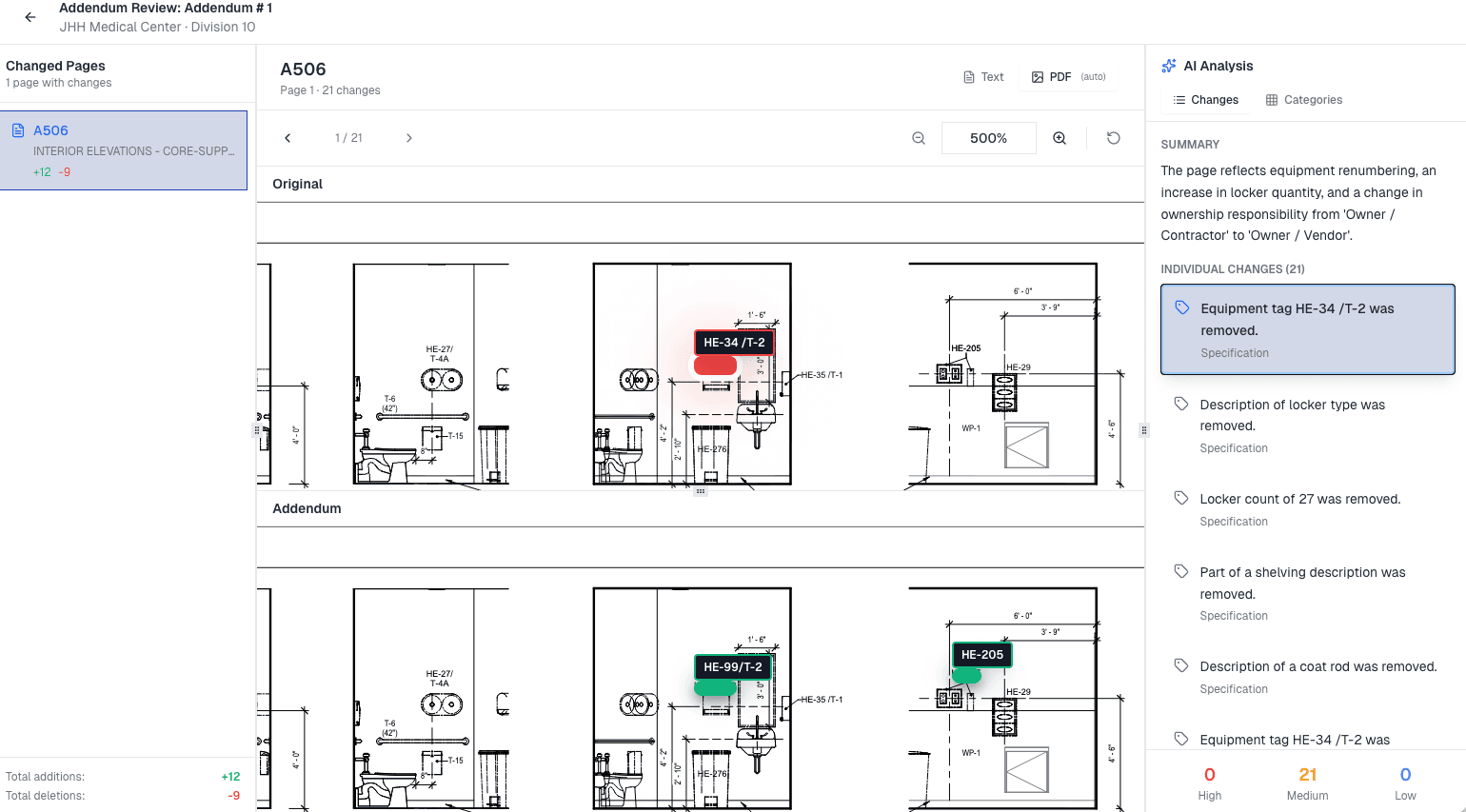
See what changed between the original documents and their addenda or revisions, where each change came from, and which scope it affects.
- Who it's for
- Commercial construction and preconstruction teams tracking addenda, change orders and revised sets.
- The problem
- Changes arrive across scattered PDFs and emails. Finding what actually changed means re-reading pages by hand, often right before bid day.
How it works
- Organize addenda and revised documents. Upload addenda packages and revised sets. Drawings, specifications and attachments are grouped so nothing is overlooked.
- Compare document versions. Review the original and the revision side by side.
- Identify added, removed and modified content. Each change is highlighted so you can see exactly what changed.
- Trace changes back to the source. Every change links to the original page or section it modifies, whether it came from an addendum or a change order.
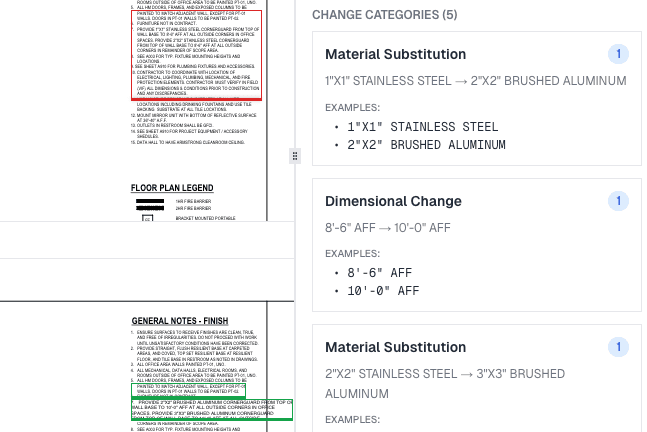
- Review categorized changes and scope impacts. Changes are categorized and summarized in plain language, and you can filter by division.
What you get
- A reviewable list of changes for each sheet, with a summary of what the page change means.
- Change categories, such as material substitutions and dimensional changes, with before-and-after examples.
- A link from each change to its source page or section.
- One shared record of what changed and when, so the whole team works from the current scope.
Scope Conflict Analysis
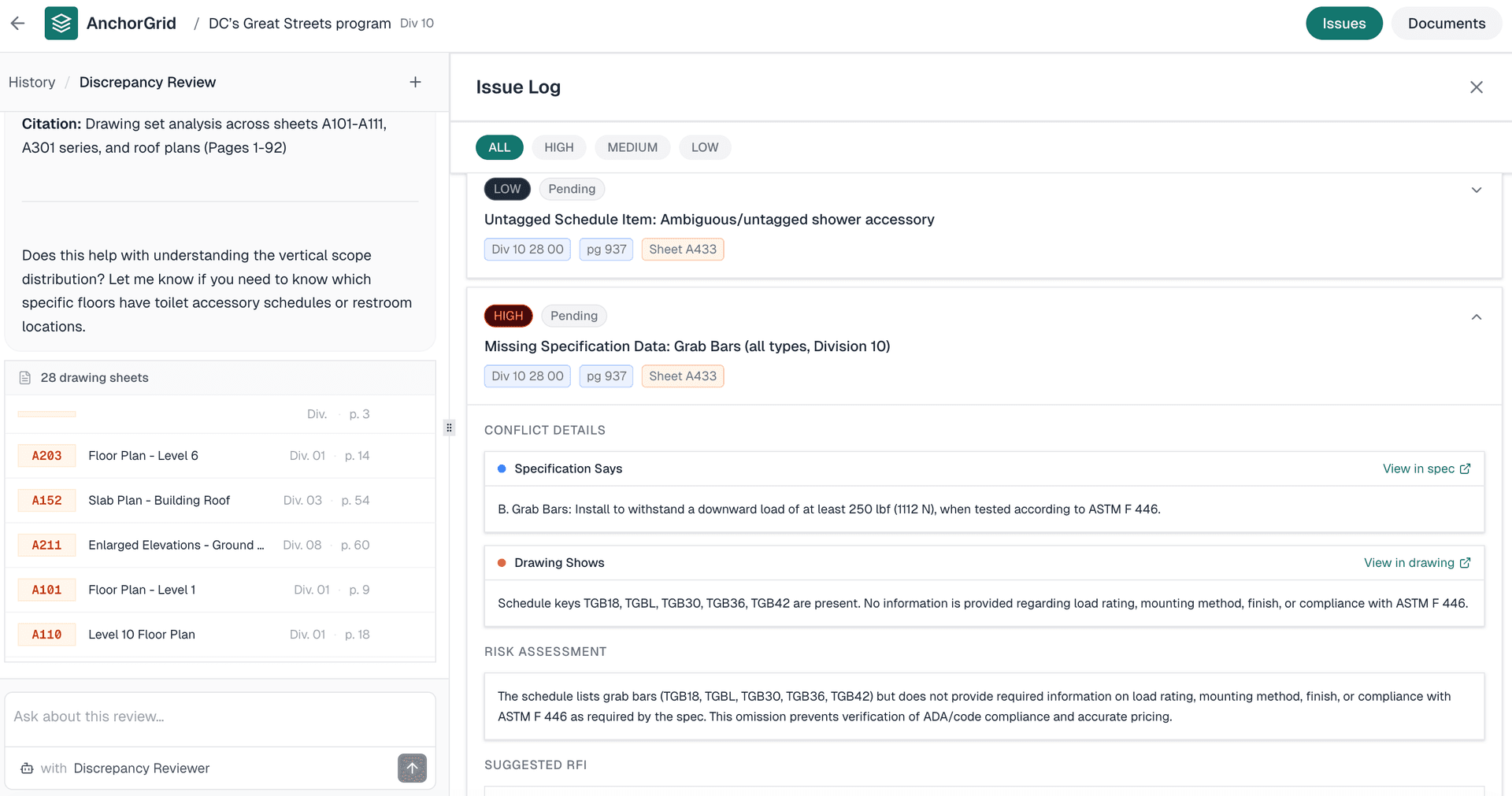
Compare drawings against specifications to surface mismatches and missing scope, each traced back to its source.
- Who it's for
- Preconstruction and estimating teams reviewing a drawing set against its specifications.
- The problem
- When the drawings and the specifications disagree, or a specified item is missing from the drawings, the gap is easy to miss until it becomes an RFI or a pricing question.
How it works
- Review drawings against specifications. The tool compares the drawing set with the specification sections that apply to it.
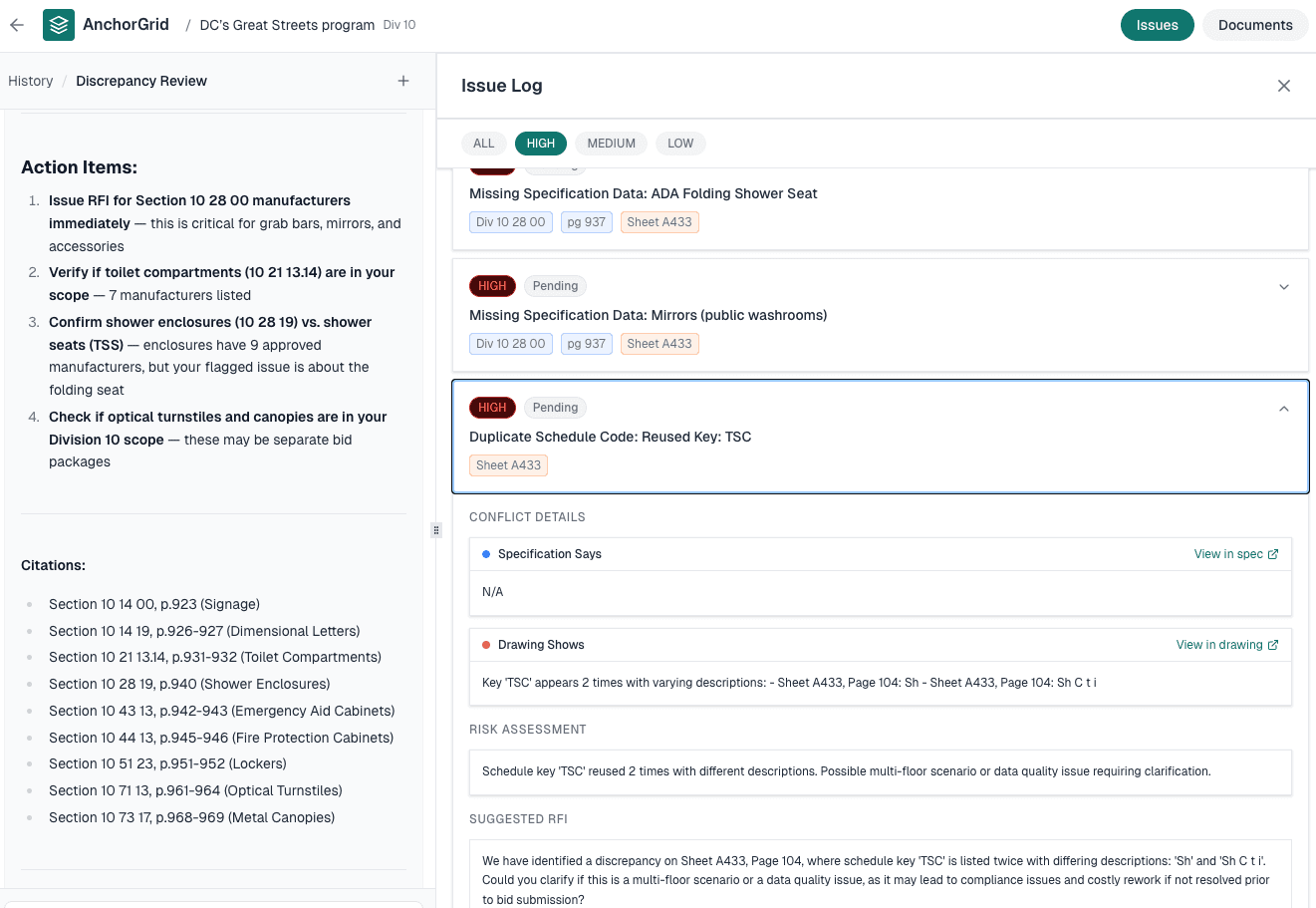
- Work through the issue log. Each issue is rated high, medium or low, tagged with its specification section, page and sheet, and tracked with a status.
- Check the evidence. Each conflict shows what the specification says next to what the drawing shows, with links to view each in its source document.
- Decide what to do next. Issues include a risk assessment and a suggested RFI, and the review lists action items with citations.
What you get
- An issue log you can filter by severity.
- Side-by-side conflict details from the specification and the drawing.
- A risk assessment and suggested RFI wording for each issue.
- Action items with citations to specification sections and pages.
Two questions every bid has to answer.
Each tool runs its own review. Together, they cover both sides of document coordination.
Between the original documents and each addendum, change order or revised set.
Revision Impact AnalysisWhere they conflict, and where specified scope is missing from the drawings.
Scope Conflict AnalysisSee both tools on your kind of project.
Book a demo and we'll walk through Revision Impact Analysis and Scope Conflict Analysis with you.
Building your own review tools? The AnchorGrid API and the developer docs cover the underlying drawing and specification data. See use cases for examples.